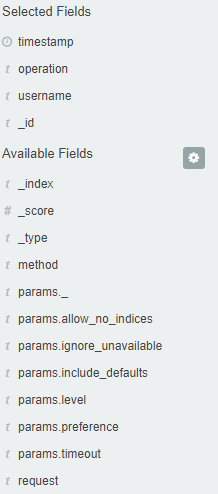
Fields
Energy Log Server in the body of searched events, it recognize fields
that can be used to created more precision queries. The extracted
fields are visible in the left panel. They are divided on three types:
timestamp, marked on clock icon
 ; text, marked with the letter “t”
 and digital, marked witch hashtag
 .
.
Pointing to them and clicking on icon
 , they are automatically transferred to
the „Selected Fields” column and in the place of events a table with
selected columns is created on regular basis. In the “Selected Fields”
selection you can also delete specific fields from the table by clicking
, they are automatically transferred to
the „Selected Fields” column and in the place of events a table with
selected columns is created on regular basis. In the “Selected Fields”
selection you can also delete specific fields from the table by clicking
 on the selected element.